Theme · Dark · for X
Midnight OLED
by wayBetter for X · v1.0.0 · 1.6 KB
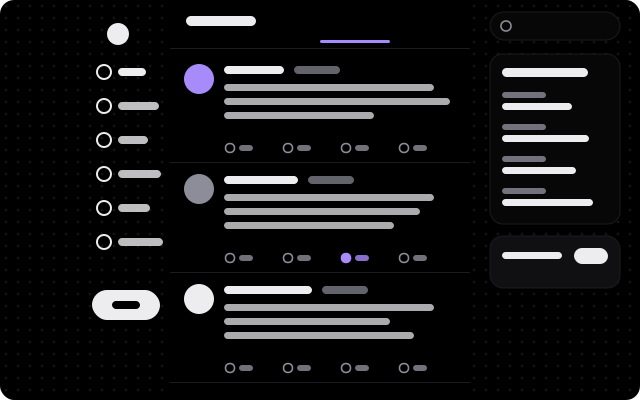
True black for OLED panels: light-weight Geist, soft violet, big round corners and a sparse starfield.
Opens wayBetter for X on its install screen (version 1.1.0 or newer). Nothing installs until you confirm there. How installing works
Palette
- Background
#000000 - Surface
#070708 - Text
#ededf0 - Accent
#a78bfa
A theme is data: colors, fonts, corners, density, layout, background and effects. The app sanitizes every field and keeps text readable. Only a theme’s optional CSS runs in the page, with the same trust as your own Custom CSS; the install screen warns when a theme carries any.
The theme file
Read midnight-oled.json1.6 KB · exactly the bytes the app installs
Open the raw file to read it.How installing works, and is it safe?
- A link, not an installer. “Install in wayBetter” is a
waybetter://link. It opens the app and proposes this theme. A web page cannot install anything, and neither can a tab inside the app. - The app checks the file. It downloads the file itself, verifies the Store catalog’s Ed25519 signature with the key compiled into the app, then this file’s size and SHA-256 against the catalog.
- You read it, then confirm. The install screen shows the name, author, version, source, SHA-256, the theme file and a live preview. Nothing is written until you press Install.
What this does not promise: a theme’s optional CSS is code-like and carries the same trust as your own Custom CSS. The install screen shows it. Anything in the signed catalog is vouched for by the Store key, which is kept offline.
No app yet, or an older one?
One-click install needs wayBetter for X 1.1.0 or newer. Get wayBetter for X, or do it by hand: download midnight-oled.json and drag it onto the wayBetter window. You get the same install screen.